


Dell P2425H 23.8″ FHD Monitor (BRAND NEW)
- Model: Dell P2425H 23.8″ FHD Monitor
- Display Size: 23.8 inches
- Resolution: 1920 x 1080 pixels (Full HD)
KSh 26,500.00
CompareIntroduction
The Dell P2425H 23.8″ FHD Monitor is designed for users who demand a reliable and high-performance display. With its sleek Black Color finish and ergonomic features, it is an excellent option for office professionals, creative individuals, and anyone looking for a monitor that offers both performance and comfort. This monitor boasts a Full HD (1920×1080) resolution and IPS technology, ensuring that images remain sharp, clear, and vibrant from nearly any viewing angle.
Featuring a highly adjustable stand, the P2425H allows users to easily adjust the height, tilt, swivel, and pivot of the monitor for enhanced ergonomic comfort, reducing strain during long work sessions. The monitor’s extensive connectivity options, including VGA, HDMI 1.4, DisplayPort 1.2, and USB 3.2 ports, provide versatile connectivity with a variety of devices.
Ideal for office environments, multimedia work, and multitasking, the Dell P2425H combines a professional design with impressive functionality.
Key Features
23.8-inch Full HD Display
The Dell P2425H offers a 23.8-inch Full HD (1920×1080) resolution that delivers clear, sharp, and vibrant visuals. This is perfect for productivity tasks such as word processing, web browsing, and data analysis. The Full HD resolution ensures that text and graphics are displayed in crisp detail, making it ideal for extended use.
IPS Technology for Enhanced Viewing
With IPS (In-Plane Switching) technology, the P2425H ensures consistent, accurate colors across the entire screen. The 178° viewing angle makes it suitable for group presentations or collaboration, ensuring that the image remains consistent from different angles without any loss of color quality or contrast.
Ergonomic Stand for Ultimate Comfort
The P2425H features a highly adjustable stand that provides height, tilt, swivel, and pivot adjustment capabilities. This enables users to easily adjust the monitor to their preferred viewing position, which reduces eye strain and promotes a healthy posture during long hours of use. The height adjustment allows the screen to be positioned at the optimal eye level, while the tilt and swivel functions allow for flexibility in adjusting the viewing angle.
Extensive Connectivity Options
The P2425H comes with a wide range of ports to connect multiple devices. Key connectivity options include:
1 VGA for compatibility with older devices or legacy systems.
1 HDMI 1.4 for high-definition video and audio output, perfect for modern laptops, gaming consoles, or media players.
1 DisplayPort 1.2 for digital display output with support for high resolutions and refresh rates.
1 USB 3.2 Gen1 Type-B upstream port for connecting the monitor to your PC and enabling USB functionality.
3 USB 3.2 Gen1 Type-A downstream ports for connecting peripherals like a keyboard, mouse, or external hard drives.
1 USB 3.2 Gen1 Type-C downstream with up to 15W Power Delivery (PD) (data only), providing a high-speed connection for data transfer or charging compatible devices.
Integrated Cable Management
The P2425H comes equipped with a cable management system that helps keep your workspace organized and free of cable clutter. This is especially useful when using multiple devices or when you want to minimize visible cables to create a cleaner setup.
Low Blue Light and Flicker-Free Technology
The P2425H features Dell’s ComfortView technology, which reduces blue light emission and flicker-free technology, minimizing eye strain and improving comfort during extended viewing periods. This makes the monitor more suitable for professionals who need to work long hours in front of their screens.
Modern, Professional Design
The monitor’s sleek, minimalistic design in black is ideal for any modern office environment. The slim bezels make the monitor perfect for multi-monitor setups, as they create a seamless viewing experience with minimal distractions.
Energy-Efficient
The Dell P2425H is Energy Star certified, meaning it consumes less power while delivering high-quality performance. Additionally, the Eco-friendly design helps reduce your carbon footprint and lowers your electricity costs.
Specifications
Model: Dell P2425H 23.8″ FHD Monitor
Display Size: 23.8 inches
Resolution: 1920 x 1080 pixels (Full HD)
Panel Type: IPS (In-Plane Switching)
Brightness: 250 nits (typical)
Contrast Ratio: 1000:1
Response Time: 8ms (gray to gray)
Viewing Angles: 178° (horizontal), 178° (vertical)
Ports:
1 VGA
1 HDMI 1.4
1 DisplayPort 1.2
1 USB 3.2 Gen1 Type-B upstream
3 USB 3.2 Gen1 Type-A downstream
1 USB 3.2 Gen1 Type-C downstream with 15W Power Delivery (data only)
Power Consumption:
Typical: 20W
Standby: <0.3W
Dimensions (without stand): 21.2 x 12.8 x 1.8 inches (539.6 x 324.8 x 46.5 mm)
Weight: 4.5 kg (9.9 lbs)
Color: Black
Stand Adjustments: Height, tilt, swivel, and pivot
Tilt Angle: -5° to 21°
Pivot: Yes (90° rotation)
VESA Mounting: Yes (100mm x 100mm)
Speakers: No integrated speakers
Warranty: 3 years, limited hardware warranty
Benefits and Advantages
Exceptional Color Accuracy and Viewing Angles
Thanks to the IPS technology, the Dell P2425H provides consistent colors and wide viewing angles, making it a great choice for tasks requiring color accuracy, such as design and photo editing. The 178° viewing angle ensures that the monitor’s colors and brightness remain uniform, even when viewed from the side.
Ergonomic Flexibility for Maximum Comfort
The height, tilt, swivel, and pivot adjustments allow you to position the monitor in the most comfortable way for your posture and viewing needs. This flexibility helps reduce neck and back strain, ensuring that you can work comfortably for longer periods.
Versatile Connectivity for Multiple Devices
With its combination of VGA, HDMI, DisplayPort, and USB ports, the Dell P2425H offers a wide range of connectivity options. This ensures that you can easily connect the monitor to various devices like laptops, desktops, gaming consoles, and external storage devices.
Convenient USB Ports for Peripheral Connections
The USB 3.2 ports on the monitor enable you to connect and power multiple peripherals, such as a keyboard, mouse, or external hard drive, directly from the monitor. The USB Type-C port allows for data transfer and up to 15W Power Delivery, which can be useful for charging compatible devices, making this monitor a versatile hub for your workspace.
Flicker-Free and Eye Comfort Features
With flicker-free technology and ComfortView blue light reduction, the P2425H minimizes eye strain, making it suitable for extended use. Whether you’re working on documents, watching videos, or attending virtual meetings, the monitor’s features ensure comfort and reduce the risks of eye fatigue.
Energy-Efficient Operation
The Dell P2425H is Energy Star certified, meaning it operates with low energy consumption. This not only helps reduce your electricity bill but also contributes to a more sustainable and eco-friendly workspace.
Sleek and Professional Design
The monitor’s minimalistic design and slim bezels ensure that it looks great in any workspace. The black finish gives the Dell P2425H a modern, professional look, suitable for office settings or home offices.
Use Cases
Office Work and Productivity
The Dell P2425H is perfect for office tasks such as emailing, word processing, spreadsheet editing, and data analysis. The adjustable stand and wide viewing angles ensure that you can maintain good posture and work comfortably.
Creative and Design Work
Professionals in graphic design, photography, and video editing will appreciate the IPS panel’s accurate color reproduction and wide viewing angles. The Full HD resolution offers plenty of screen space to work on intricate projects with clear details.
Multimedia Consumption and Entertainment
The Dell P2425H can also be used for media consumption, including watching videos and light gaming. Its HDMI and DisplayPort connections ensure compatibility with gaming consoles and media devices, while the IPS display provides vibrant, true-to-life colors for movies and shows.
Virtual Meetings and Collaboration
The Dell P2425H is an excellent option for virtual meetings and collaborative work, offering a wide viewing angle and comfortable adjustments to ensure everyone can see the screen clearly. The USB ports also allow you to connect webcams or other peripherals, improving the functionality of your workspace.
Installation and Setup
Unbox the Monitor: Remove the Dell P2425H from the packaging and place it on a stable, flat surface.
Attach the Stand: Install the adjustable stand into the monitor’s base according to the instructions.
Connect Your Devices: Plug in the VGA, HDMI, DisplayPort, or USB cables as required to connect the monitor to your PC, laptop, or other devices.
Power the Monitor: Connect the power cable to the monitor and plug it into a power source.
Adjust the Stand: Use the height, tilt, swivel, and pivot adjustments to achieve the most comfortable viewing position.
Configure the Settings: Use the on-screen display (OSD) menu to adjust brightness, contrast, and other settings as per your preference.
Based on 0 reviews
Be the first to review “Dell P2425H 23.8″ FHD Monitor (BRAND NEW)”
Related products
-
Computer Components, Monitors
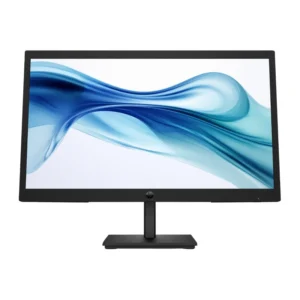
HP 322PV FHD Monitor – 21.5-Inch Full HD Display, 75Hz
Key Features
-
Full HD Display: Crisp and detailed visuals with 1920 × 1080 resolution.
-
Smooth 75Hz Refresh Rate: Enhanced motion clarity for everyday tasks and media playback.
-
Wide Viewing Angles: Consistent image quality from different angles.
-
Eye Comfort Technology: Reduces eye strain during long hours of use.
-
Slim & Modern Design: Fits seamlessly into any workspace or home setup.
-
Multiple Connectivity Options: Easy connection to PCs and laptops.
SKU: n/a -
-
Computer Components, Projectors
Philips NeoPix 110 Home Projector – Compact, Versatile, and Easy to Use
 Computer Components, Projectors
Philips NeoPix 110 Home Projector – Compact, Versatile, and Easy to Use
- Brightness: 100 ANSI lumens
- Resolution: 800 x 480 (supports Full HD 1080p input)
- Projection Size: 20” – 65”
- Aspect Ratio: 16:9
- Connectivity: HDMI, USB, MicroSD, AV, 3.5mm Audio Jack
- Speaker: Built-in 3W
- Keystone Correction: Yes
- Lamp Life: Up to 20,000 hours
- Power Supply: DC 12V
SKU: n/a -
Computer Components, Scanners
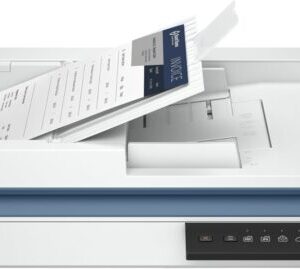
HP ScanJet Pro 2600 f1 Scanner
Key Features:- Scanning: Flatbed + 50-sheet ADF, duplex (2-sided) in one pass.
- Speed: Up to 35 ppm (pages/min) or 70 ipm (images/min).
- Resolution: Up to 1200 dpi optical (flatbed), 600 dpi (ADF).
- Connectivity: USB 2.0, Ethernet, Wi-Fi.
- Software: HP Scan Pro, OCR for editable text, HP Smart app compatible.
- Media: Plain paper, photos, envelopes, business cards, labels, etc..
- Security: Secure boot and firmware validation.
- Daily Volume: Designed for up to 1,500 pages daily.
SKU: n/a -
Computer Components, Monitors
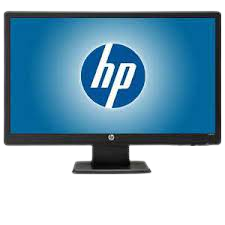
HP W2371b 23″ LED LCD Monitor
Panel resolution1920 x 1080BacklightWLEDPanel treatmentNon glareBrightness250 (typical)Viewing angle (H/V)CR (10): 170/160Contrast ratio (static)1000: 1Dynamic contrast ratio1M: 1Tilt-4 + 1 to 18 + 1Audio support1 WADVI-D connectorYesVGA connectorYesSKU: n/a
There are no reviews yet.